
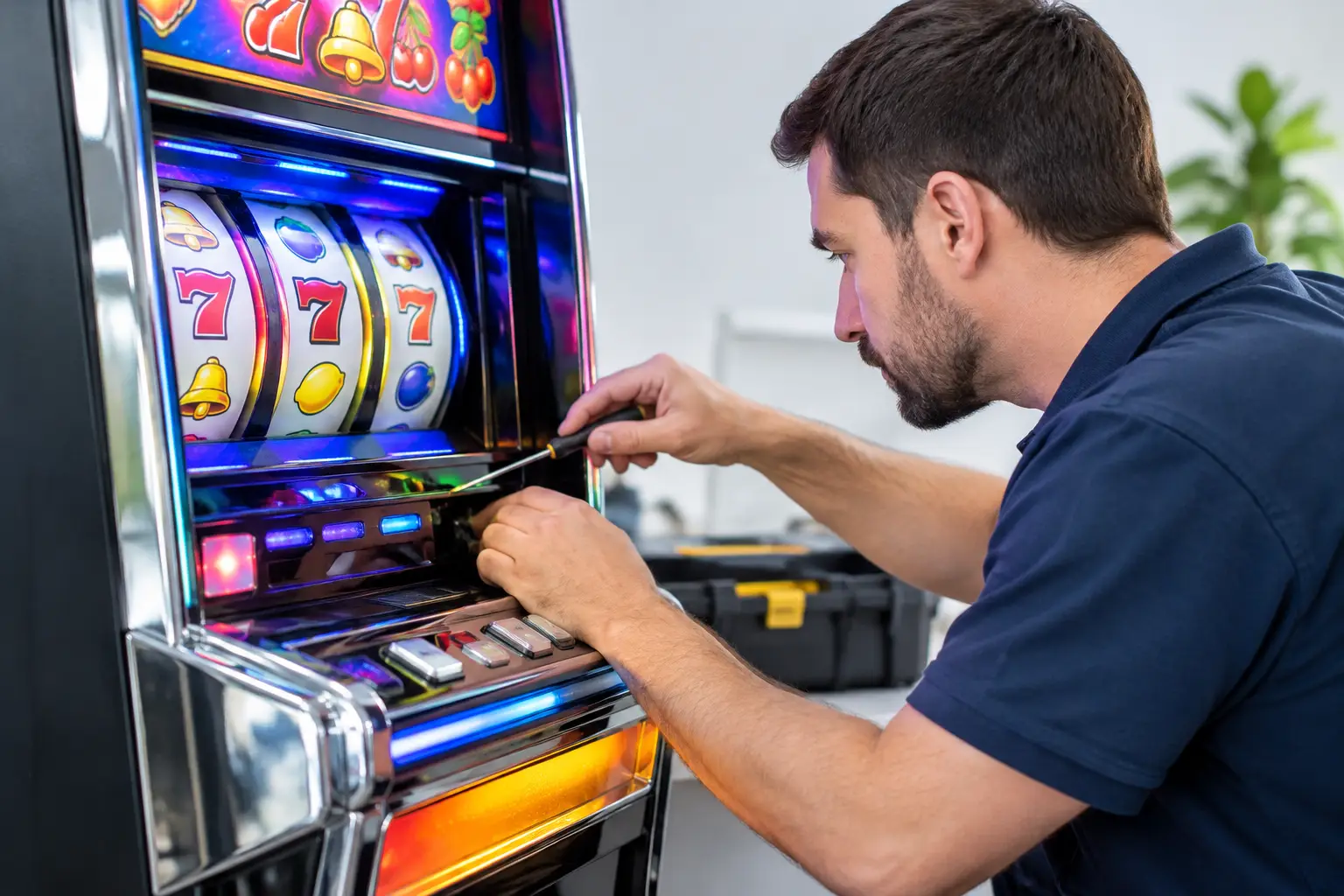
A dark button panel or a reel light that will not flash can make a favorite home slot machine feel like it lost its personality. The good news is that many lighting problems are small, fixable issues – a loose connector, tired bulb, settings change, or a door that is not quite latched. Knowing how to troubleshoot slot machine lights starts with narrowing down exactly what is dark, what still works, and what changed before the problem appeared.
Former casino machines are built with more components than a typical home arcade game. That is part of their charm, but it also means the lights may be controlled by several systems: the main power supply, a lighting harness, a game board, a button deck, a topper, and sometimes a dedicated LED controller. Take a calm, methodical approach and you can avoid replacing the wrong part or turning a simple fix into a bigger repair.
Start With the Pattern, Not the Part
Before opening the cabinet, turn the machine on and watch closely. Is every light out, or only the buttons, reel lamps, belly glass, topper, or candle? Do lights come on during startup and then go dark? Does one color fail while other colors still work? Those details point toward different causes.
If all lights are out but the screen, sound, and game play normally, start with the lighting circuit, its power connection, or a switched outlet inside the cabinet. If only one button is dark while surrounding buttons work, the problem is more likely the lamp, LED, socket, or the connector serving that specific button. A machine that has no power at all needs a broader power diagnosis before focusing on the lights.
Also think about timing. Did the issue start after moving the machine, cleaning it, replacing a button, changing settings, or experiencing a power outage? A cabinet can travel home without trouble and still have a connector work loose in transit. That is common, and it is much less intimidating than a failed circuit board.
Safety First When Troubleshooting Slot Machine Lights
A casino-style machine is not a small tabletop game. It contains line-voltage wiring, power supplies, sharp metal edges, and components that can hold heat after use. Turn the machine off, unplug it from the wall, and give it a few minutes before opening the cabinet or touching wiring.
Never probe live wiring unless you have the training and meter knowledge to do it safely. Do not bypass door switches, safety interlocks, fuses, or other protective components just to get lights working. Those parts are there for a reason. If you smell hot plastic, see browned wiring, hear buzzing from a power supply, or find a blown fuse that blows again after replacement, stop there and get qualified service help.
For basic checks, a flashlight, clean dry cloth, and a phone camera are often enough. Take photos before unplugging any connector. That one habit makes reassembly much easier, especially in a cabinet with multiple light harnesses.
Check the Simple Power and Cabinet Issues First
Start at the wall outlet. Plug in another known-working item to confirm the outlet has power, then check the machine’s main power cord and power switch. If the machine is connected through a surge protector or power strip, make sure that device has not tripped or been switched off.
Next, inspect the cabinet doors. Some machines use door switches or sensors that affect certain lighting behaviors when a door is open. Home-use preparation may remove or modify casino-specific hardware, but the cabinet still needs to close correctly and nothing should be pinched in the door frame. Make sure the door is fully seated and locked as intended.
Inside the cabinet, look for a power strip, switched outlet, or inline connector that feeds lighting accessories. Topper lights and decorative cabinet lighting are sometimes powered separately from the game monitor or main board. A plug can be slightly loose yet still look connected at a glance. With power disconnected, press each accessible plug firmly into place without forcing it.
Inspect Lamps, LEDs, and Their Connections
Older machines may use incandescent lamps, while many refurbished games use LEDs or LED conversion boards. The troubleshooting path depends on what is installed.
With a traditional bulb, look for a darkened glass envelope, broken filament, or loose twist-lock base. Replace it only with the correct type and rating. Installing the wrong bulb can create excess heat, damage a socket, or cause a lighting circuit to behave unpredictably. If a replacement bulb does not work, the issue may be the socket, harness, fuse, or control board rather than the bulb itself.
With LEDs, check for a loose plug, cracked board, damaged wire, or corrosion around connectors. LED modules usually do not fade the same way old bulbs do. One dead LED may mean a failed module, while an entire dark group often suggests a shared connector, controller channel, or power feed.
Button lights deserve special attention because they see the most use. A button can still register a press even when its lamp has failed, and a decorative light can work even if the button switch itself is worn. Treat those as separate symptoms. If the button is physically sticking, cracked, or intermittent, do not focus only on the light.
How to Troubleshoot Slot Machine Lights by Section
Working section by section keeps the process clear. Check one lighting area, reconnect what you inspected, then power the machine back on and observe the result. Avoid unplugging several unrelated harnesses at once.
Dark reel area or belly glass
If the reel area or belly glass is dark, inspect the lamps or LED strips behind the artwork first. A loose connector near the door hinge is a frequent culprit because that harness moves whenever the door opens. Look for wires that are stretched, rubbed, or caught against a metal edge.
If the lights are present but unusually dim, verify that the correct replacement lamps or LED components were used. Dimness can also point to a weak power supply, but that diagnosis is best left to a technician who can test voltage safely under load.
Dark buttons or button deck
When one button is dark, swap only the lamp or LED module with an identical working position if the design allows it. If the problem follows the component, the component is bad. If the same button location stays dark, investigate the socket, connector, or output channel.
When the whole button deck is dark, look for its shared harness or controller connection. Check carefully for a plug that has backed out during movement. Do not force connectors into the wrong orientation. Most are keyed, and forcing one can bend pins.
Topper, candle, or accent lighting
Topper and candle lights are often the first thing people notice, but they may not always behave like simple room lights. Some are controlled by game events, attract mode, door status, or game configuration. If the topper is dark only during normal idle play but flashes during startup or a bonus, it may be operating as programmed.
If it never lights, inspect its separate power lead and any connector where the topper meets the cabinet. Decorative pieces are especially likely to have a connection loosen after transport or cabinet repositioning.
Rule Out a Settings or Software Issue
A machine can have perfectly healthy lights that are disabled or behaving differently because of its settings. If lights stopped working immediately after a configuration change, service menu adjustment, battery replacement, or software work, do not assume hardware failure.
Some game platforms include diagnostics that test lamps, buttons, LEDs, or cabinet outputs one at a time. This is useful because it shows whether the machine can command the light to turn on. Use the correct machine documentation or get guidance before entering menus that affect accounting, game configuration, or calibration. Randomly changing options can create a second problem while chasing the first one.
A full power-down and restart can also clear an occasional communication hiccup, but it will not repair a burned-out bulb or damaged wiring. If the issue returns every time, document which lights fail and when. That information speeds up support dramatically.
Know When It Is Time to Call for Help
Homeowners can confidently handle visual inspections, reseating accessible plugs, checking cabinet closure, and replacing clearly failed bulbs with exact matches. Beyond that, the trade-off changes. Electrical testing, power-supply repair, board-level work, and repeated fuse failures are jobs for someone familiar with casino gaming hardware.
A good service conversation starts with specifics: the machine make and model, which lighting section is affected, whether the machine otherwise boots and plays, when the issue began, and clear photos of the component or connector. At St. Louis Slots, we put a lot of love into preparing machines for home use, and a detailed description helps get you to the right fix without guesswork.
Your slot machine should bring a little casino excitement to the game room, not become a weekend wiring project. Start with the obvious, move one section at a time, and let a qualified technician take over whenever the repair reaches live power or electronic control boards.
 | Check out our
Comments are closed