
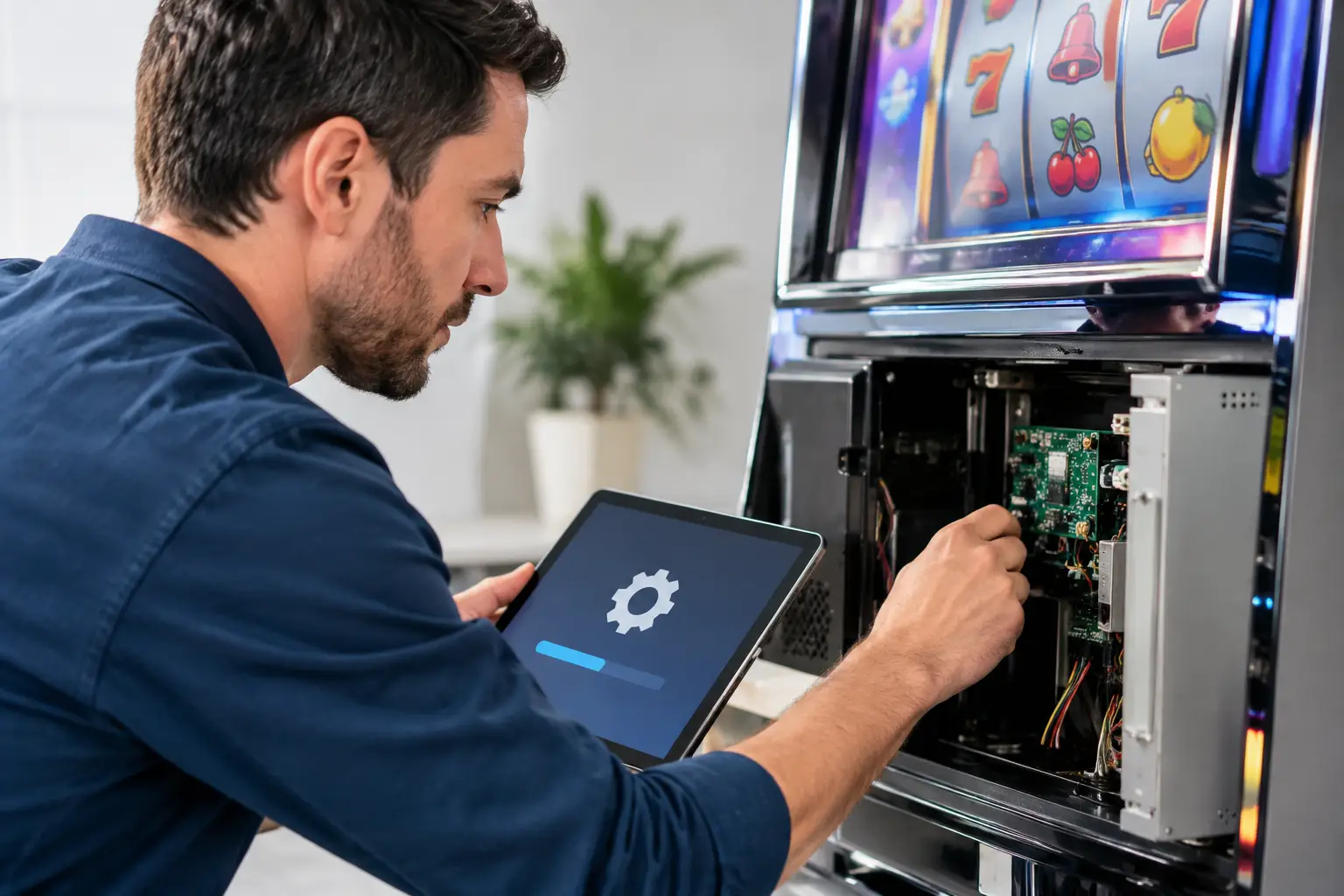
A casino-style machine can look fantastic in a game room, but the real test happens when you power it on. Does it boot correctly? Does the screen communicate with the game board? Do the buttons respond the way they should? To update gaming firmware is one part of making sure a former casino machine is ready for reliable, stress-free use at home.
Firmware may sound like something only a casino technician needs to worry about. In reality, it is one of the behind-the-scenes details that separates a machine that simply lights up from one that has been properly prepared for years of home entertainment. It helps the machine’s electronics communicate, supports stable operation, and can address known issues in the hardware.
For home buyers, the goal is not to become a slot machine technician. The goal is to bring home an authentic piece of casino fun that is clean, dependable, and ready to enjoy in the basement, garage, man cave, she-shed, or game room.
What Gaming Firmware Actually Does
Firmware is specialized software stored directly on a machine’s electronic components. Think of it as the instruction layer that tells certain hardware how to behave. A game board, bill validator, display controller, touch screen, or communication device may each rely on firmware to operate properly.
Unlike the game itself, firmware is not usually something you interact with during play. You will not see it when the reels spin or when a video poker hand is dealt. But if firmware is outdated, mismatched, or corrupted, you may see the symptoms: slow startup, communication errors, screen problems, unresponsive controls, or a machine that will not complete its boot sequence.
That does not mean every older machine needs a firmware update. Many casino machines operate perfectly well on the firmware version they already have. An update is worthwhile when it corrects a known issue, supports a replacement component, improves compatibility, or is part of a complete refurbishment process. Updating simply because a newer file exists can create problems when the wrong version is installed.
Why Updating Firmware Matters for Home Use
Casino equipment was built for a very different environment than a home game room. In a casino, machines connect to accounting systems, security devices, ticketing equipment, and a network of other operational tools. At home, most of those casino-specific features are unnecessary and can get in the way.
A proper home-use conversion looks at the entire machine, not just one setting. Casino sensors, locks, switches, and connections that no longer serve a purpose may need to be removed, bypassed, or reconfigured. Firmware and software checks help ensure the machine’s remaining components work together after that preparation.
This is especially important with used equipment. A machine may have spent years in a busy casino before it ever reaches a private owner. It could have received replacement parts at different times, been moved between locations, or sat powered down in storage. A thorough technician checks for those details rather than assuming the machine is ready because it turns on.
The payoff is simple: fewer surprises after delivery. You want to press the power button, hear that familiar startup sound, and get to the fun part. You do not want your Saturday night game room plans interrupted by a message code that requires a service manual and three hours of troubleshooting.
When a Gaming Firmware Update Is Needed
There is no one-size-fits-all schedule for firmware. These machines are not like phones that ask for an update every few weeks. In fact, a home slot machine that is running well often needs no firmware attention at all.
An update may be considered during refurbishment when a technician replaces a compatible electronic board, installs a supported peripheral, or identifies a manufacturer-approved correction for a particular issue. It may also be necessary when diagnostics point directly to a firmware mismatch or damaged firmware.
Symptoms worth having checked include repeated error messages, an intermittent touch screen, components that work inconsistently, or a machine that starts normally but later loses communication with a device. Those signs do not automatically mean firmware is the culprit. Loose connections, aging power supplies, worn buttons, dirty contacts, and failing hardware can produce similar behavior. That is why diagnosis comes before updating.
For a collector or homeowner, the best rule is simple: do not chase updates just for the sake of updating. If your machine is playing properly, keep enjoying it. If it develops a problem, start with qualified support that can identify the actual cause.
Why This Is Not a Typical DIY Update
On a home computer, a bad update is frustrating. On a former casino machine, installing the wrong firmware can make the system harder to recover. Firmware files are often specific to a manufacturer, model, board revision, and connected hardware. Even machines that look nearly identical on the outside may use different internal components.
There is also a difference between game software and firmware. Changing either one without the correct equipment, procedures, and files can lead to compatibility issues. It may affect startup behavior, peripherals, calibration, or the machine’s ability to recognize a component.
That is why a refurbished machine should be evaluated by someone who knows casino equipment, not treated like a generic arcade cabinet. The process can involve checking power, cables, board connections, error history, configuration, and component operation before any update is performed.
At St. Louis Slots, that hands-on mindset is built into the refurbishment process. Each machine is cleaned, repaired, tested, updated where appropriate, and prepared for residential use so buyers can focus on enjoying the experience instead of learning casino service procedures.
What Proper Refurbishment Should Include
Firmware matters, but it is only one piece of the puzzle. A quality refurbishment is about giving every major system the attention it deserves. A machine can have current firmware and still be unreliable if it has a weak power supply, dirty bill path, tired button switches, damaged wiring, or a display that is beginning to fail.
A thorough inspection should look at the cabinet inside and out. That means checking the monitor or screen, game boards, fans, power delivery, lighting, buttons, door hardware, speakers, wiring, and payment components. It also means cleaning out years of dust and residue that can trap heat and shorten the life of electronics.
For home use, the technician should also confirm that the machine operates without relying on casino floor systems. The machine needs to be configured for the way you will actually use it at home, whether that means casual play with friends, a centerpiece for a finished basement, or a standout addition to a collection.
The best refurbished machines do not feel like surplus equipment. They feel like they have been given a second life, with a little love put into the details that most people never see.
How to Keep Your Machine Running Well After Setup
Once your machine is home, basic care goes a long way. Keep it in a dry, climate-controlled area whenever possible. Extreme heat, cold, moisture, and dust are hard on electronics, especially in garages or unfinished basements.
Give the cabinet room to breathe rather than pressing it tightly against a wall or covering ventilation openings. If the machine uses bill acceptors or ticketing components, avoid forcing crumpled bills into the validator. And if something unusual appears on screen, take a photo of the message before powering the machine off. Error codes and startup messages can make support much faster and more accurate.
Most importantly, resist the urge to download random files or make internal adjustments based on a forum post meant for a different model. There are plenty of enthusiast resources out there, but each machine has its own history and setup. What fixes one cabinet may create a new issue in another.
A well-restored gaming machine should feel exciting, not intimidating. Firmware updates, software checks, and home-use modifications are the quiet work that helps make that possible. When those details are handled correctly from the start, the only decision left is which game gets the first spin.
 | Check out our
Comments are closed