
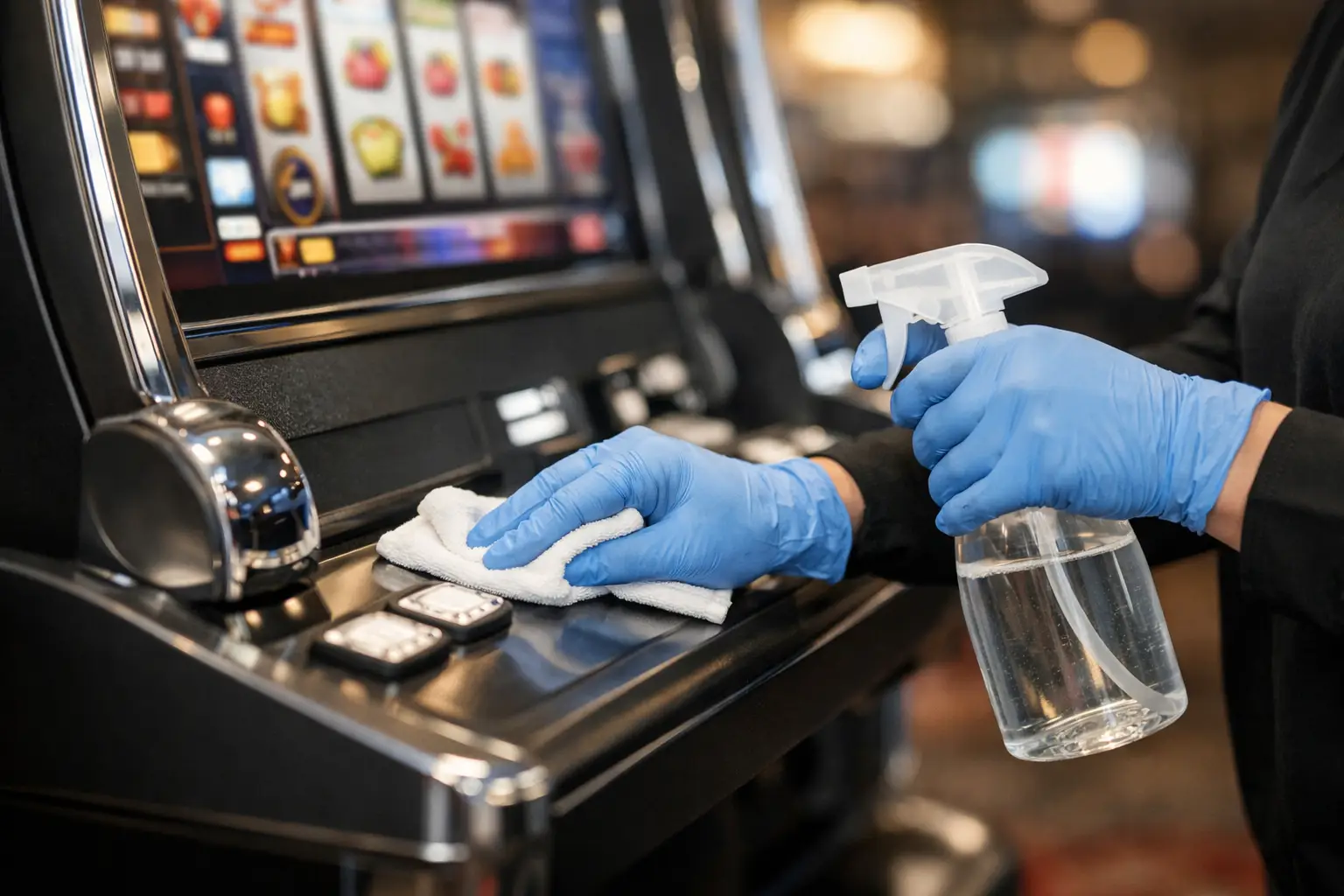
That casino game in your basement, garage, or game room gets touched more than you may realize. Friends press the buttons, kids admire the lights, and a quick snack or drink can leave behind fingerprints, dust, and the occasional mystery spot. Knowing how to clean a slot machine the right way keeps it looking sharp without putting its screen, buttons, or internal electronics at risk.
The good news is that routine cleaning is simple. The key is treating your machine like the real piece of casino equipment it is – not like a piece of household furniture you can spray down and wipe off. A little care goes a long way toward keeping the cabinet bright, the button deck clean, and game night ready to roll.
Before You Clean a Slot Machine, Power It Down
Always turn the machine off before cleaning it. If you need to clean around the screen, buttons, bill validator, or any area near electronics, unplug it from the wall as well. This protects you and prevents moisture from finding its way into places it does not belong.
Do not spray cleaner directly onto any part of the machine. Liquids can seep around buttons, under trim, into speakers, and behind the monitor bezel. Even a machine that looks sealed has gaps where cleaner can travel. Put any cleaning product on a cloth first, then wipe gently.
You also do not need to remove panels or open the cabinet for ordinary cleaning. Former casino machines have wiring, power supplies, boards, and components that should be handled carefully. If the inside looks dusty or you suspect a spill made its way into the cabinet, it is better to get service advice than to start poking around with a household vacuum or damp rag.
Gather Simple, Machine-Safe Cleaning Supplies
You do not need a fancy cleaning kit to keep a home slot machine looking great. Start with clean microfiber cloths. They pick up dust and fingerprints without leaving lint behind, and they are far less likely to scratch plastic, glass, or glossy cabinet artwork.
For most exterior surfaces, use a cloth lightly dampened with water or a small amount of mild soap diluted in water. Keep another dry microfiber cloth nearby for buffing and drying. For dust in seams and around the button deck, a soft detailing brush or a dry, clean paintbrush works well.
Avoid harsh chemicals, abrasive scrubbers, paper towels, bleach, ammonia, and strong solvents. Window cleaner can be tempting on glass or a screen, but some formulas can damage coatings, cloud plastics, or leave streaks around edges. If you use a screen-safe cleaner, apply it to the cloth, not the display.
Keep food, drinks, and cleaning bottles away from the machine while you work. A spilled drink is a much bigger problem than a fingerprint.
Start With the Cabinet and Artwork
The cabinet is usually the easiest part of the job. Begin at the top and work downward so loose dust does not land on areas you have already cleaned. Use a dry microfiber cloth to remove surface dust from the sides, top, front, and lower door.
If you find smudges or sticky spots, lightly dampen the cloth and wipe the area with gentle pressure. Do not scrub hard at decals, printed artwork, labels, or decorative trim. Older machines can have graphics that have held up beautifully for years, but aggressive cleaning can wear edges and dull the finish.
Dry the area immediately with a second cloth. This is especially helpful around the coin tray, door seams, and cabinet corners, where moisture can collect.
Give chrome and metal trim a light touch
Many slot machines have shiny metal accents that make the game feel like it came straight off a casino floor. Dust them first, then wipe them with a barely damp microfiber cloth. Avoid metal polish unless you know the trim is solid metal and the product is safe for that finish. Some pieces are plated or coated, and polish can do more harm than good.
Clean the Screen Without Streaks
The screen is the centerpiece of the game, so it deserves a careful approach. First, use a dry microfiber cloth to lift dust. Wipe in one direction rather than rubbing in tight circles, which can make streaks more noticeable.
For fingerprints, use a screen-safe cleaner or a cloth very lightly moistened with water. The cloth should feel almost dry, never wet. Gently wipe the display, then use a dry section of microfiber to finish it.
Do not press hard on the screen. Older LCD monitors, touchscreens, and display overlays can be more sensitive than a modern television. If a mark will not come off with gentle cleaning, stop before increasing pressure or trying a stronger chemical. The trade-off is simple: a faint mark is better than a damaged display.
Clean Buttons, the Player Panel, and the Coin Area
Buttons are where the fun happens, and they are also where oils from hands collect fastest. Use a microfiber cloth that is slightly damp, then wipe each button, the spaces around the buttons, and the player panel. For tight edges, use a cotton swab that is barely damp, but do not let it drip.
Never pour or spray cleaner around buttons. Liquid can work its way down the button shafts and affect switches or wiring underneath. If a button feels sticky after cleaning, do not soak it or force it repeatedly. Sticky buttons can be caused by a spill, worn parts, or an issue below the deck that needs proper attention.
The coin tray and lower cabinet often collect dust, lint, and small debris. A soft brush followed by a dry cloth is usually enough. If your machine has a ticket area, player tracking panel, or decorative slot for cash-out tickets, clean only the visible exterior surfaces.
Be Extra Careful Around the Bill Validator
The bill validator is one of the most sensitive parts of a slot machine. It is also one of the easiest areas to damage with a well-meaning cleaning attempt. Do not spray cleaner into the bill opening, insert wet cloths, or use compressed air at close range.
Wipe the outside faceplate and surrounding trim with a dry microfiber cloth. If there is dust around the opening, use a soft brush gently. A validator that rejects bills is not always dirty. It may need calibration, cleaning with the correct service materials, or a repair from someone familiar with gaming equipment.
For home-use machines, the bill validator may be configured differently than it was in the casino, but the basic rule remains the same: clean the exterior, and leave the internal validator path to a technician unless you have the right knowledge and supplies.
Do Not Forget Vents, Speakers, and Door Seams
Dust loves warm, hidden spaces. Look for ventilation openings near the back, sides, or top of the cabinet. Use a soft brush to lift dust away from the vent cover, then wipe the surrounding area with a dry cloth. Do not push the brush deep into the vent or try to reach internal fans.
Speaker grilles can also gather dust. Wipe them softly with a dry microfiber cloth or brush them gently. A wet cloth can push moisture through the grille and toward the speaker itself.
Check door seams, hinges, and handles while you are cleaning. These spots are easy to miss, but they collect hand oils and dust over time. A clean door edge makes the whole machine look more cared for.
How Often Should You Clean Your Slot Machine?
For a machine in a busy game room, a quick wipe-down every week or two keeps fingerprints and dust under control. A more thorough exterior cleaning every month is usually plenty. If the machine sits in a garage, finished basement, or room with pets, you may need to dust it more often.
The environment matters. Smoke, candles, cooking residue, pet hair, and high humidity all create extra cleaning needs. If your machine is stored in a damp area, focus less on frequent wet cleaning and more on keeping the space dry, ventilated, and comfortable. Moisture is never a friend to electronics.
When Cleaning Is Not the Answer
A clean machine should look better, but cleaning will not solve every issue. If the screen flickers, buttons fail to respond, the bill validator rejects everything, speakers crackle, or the cabinet has a musty smell, there may be a service issue behind the symptom.
That is where buying a properly refurbished game makes a difference. At St. Louis Slots, we put real love into each machine through cleaning, repairs, updates, and detailed inspection before it goes home. Still, even a fully shopped machine benefits from regular gentle care once it becomes the star of your game room.
Treat your slot machine like the special entertainment piece it is: wipe it down after a lively game night, keep drinks at a safe distance, and never let a little dust turn into a bigger headache. The payoff is a machine that looks just as inviting when the next guests walk in and hear those lights and sounds come to life.
 | Check out our
Comments are closed