
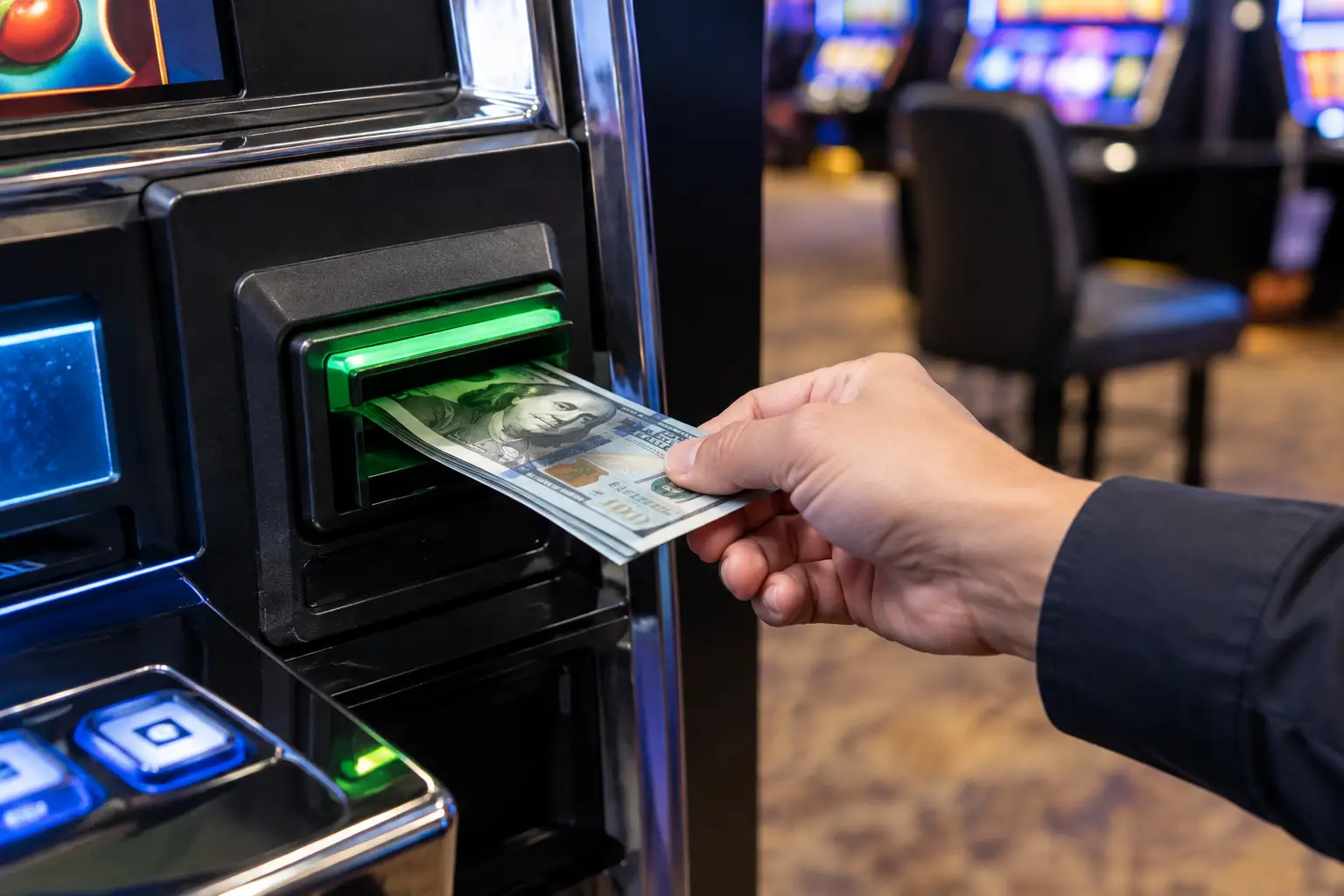
A bill validator can turn a great game room night into a head-scratcher when it suddenly rejects every bill, flashes an error light, or holds onto a note without crediting it. The good news is that many common issues have a simple fix. Knowing how to reset bill validator components correctly can get your home slot machine back to taking bills without guessing, forcing parts, or creating a bigger repair.
A reset is not always the same thing as a repair. Sometimes the machine just needs a clean power cycle after a bill stacker was removed or a note fed crooked. Other times, the validator is warning you about dirty sensors, a jam, a loose connection, or a worn-out belt. Start with the simple, safe steps first, then pay attention to what the machine is telling you.
What a Bill Validator Reset Actually Does
The bill validator is the part of your slot machine that reads a bill, checks whether it is acceptable, and sends the credit signal to the game. On many former casino machines converted for home use, it works alongside a bill stacker or cash box that collects accepted bills.
Resetting the validator usually means cutting power to let its electronics restart, then making sure the stacker and validator are seated correctly when power returns. This clears certain temporary communication errors. It will not fix a ripped belt, a damaged sensor, a bad power supply, or a validator programmed for denominations it cannot read.
That distinction matters. Repeatedly resetting a validator that is jammed or dirty may waste time, and pushing bills into a machine that is not ready can make the jam worse.
Before You Reset the Bill Validator
First, remove any bill that may be partially inserted. Do not pull hard. If the note is visible and slides out with almost no resistance, gently remove it. If it is gripped by the validator, stop and power the machine down before attempting anything else.
Make sure you are using a clean, flat bill in a denomination your machine is set up to accept. Home-use machines can be configured differently. A validator may accept only ones and fives, for example, while another machine may have a different bill set or may be configured for credits rather than cash value.
Also look for the simple clues. Is the bill stacker full? Is the stacker door closed? Is the validator head sitting straight in its mounting frame? A stacker that is not fully clicked into place can cause the machine to reject bills even though the validator itself is working perfectly.
How to Reset a Bill Validator Safely
1. Turn the machine off completely
Use the machine’s main power switch, then unplug it from the wall outlet. Give it at least 30 seconds before restoring power. This gives the validator, game board, and power supply time to shut down fully instead of performing a quick restart.
Avoid flipping the power switch on and off repeatedly. One clean power cycle is better than several rapid ones, especially on an older machine with original-style components.
2. Check the validator and stacker connection
With power disconnected, open the machine only as far as necessary to access the bill validator area. The validator head and stacker should be firmly seated. If your machine uses a removable stacker, carefully remove it, inspect the connection area for loose debris, and reinstall it until it locks into position.
Do not tug on wiring harnesses or disconnect plugs unless you are comfortable identifying where they belong. A loose stacker is common and easy to correct. Unplugging multiple cables can turn a five-minute fix into a service call.
3. Look for a bill jam or obvious debris
Check the bill path for a folded note, paper scrap, ticket, dust buildup, or anything that does not belong inside the validator. Never use a screwdriver, knife, or metal tool to dig into the bill path. Those internal sensors are precise, and a scratched or bent sensor can create a persistent rejection problem.
If there is no visible jam, use a soft, dry cloth to wipe the outside of the validator opening. For the internal bill path, use cleaning materials specifically intended for bill validators. Regular household sprays, wet wipes, and compressed air can leave residue or push dirt deeper into the unit.
4. Close the machine and restore power
Make sure the stacker is installed, the machine door is shut, and no cables are pinched. Plug the machine back in and turn it on. Most validators will perform a brief startup check. Listen for the normal movement of the mechanism and watch for any lights on the validator.
The exact light pattern varies by model, but a steady ready light generally means the unit has completed its startup. A flashing light, repeated clicking, or a red error indication means the validator still needs attention.
5. Test with one clean bill
Use a crisp, uncreased bill and feed it straight into the center of the validator. Do not push it in after the machine begins pulling it. Let the validator take the bill on its own.
If the machine accepts the bill and adds credits, you are back in business. If it rejects the note, try one other clean bill of the same accepted denomination before assuming the validator has failed. A single worn, damp, heavily folded, or marked bill can be the whole problem.
Why Your Validator May Still Reject Bills
A reset solves temporary errors, but bill validators are working mechanical and optical devices. They need occasional cleaning and can wear over time. The most common culprit is dirty sensors. Dust, lint, and residue make it harder for the validator to scan a bill accurately, leading to repeated rejections.
Poor bill condition is another common cause. Bills that have been washed, torn, taped, wrinkled, or folded several times may not pass validation. This is especially common with older one-dollar bills that have spent years in wallets and vending machines.
Then there are configuration issues. A validator may be operational but programmed for a different denomination set, a different currency, or a specific software setup. If the machine was moved, serviced, or fitted with a replacement validator, its programming and communication settings may need to be checked.
Finally, the stacker itself can be the issue. If it is full, misaligned, or not latching correctly, the validator may refuse a bill as a protective measure. That is why reseating the stacker is part of a proper reset process, not an afterthought.
When Not to Keep Resetting It
Stop troubleshooting and get qualified help if the validator keeps grabbing bills and will not release them, makes grinding noises, smells hot, displays a persistent error after a clean power cycle, or rejects every clean bill you try. Those signs point to a mechanical fault, sensor issue, power problem, or setup issue that needs more than a reset.
It is also smart to pause if you are not sure how your particular machine has been modified for home use. Former casino equipment is built to be durable, but each game can have its own validator model, wiring layout, and configuration. The goal is trouble-free fun in your basement, garage, or game room, not an accidental afternoon of taking apart a machine that only needed a proper adjustment.
At St. Louis Slots, machines are refurbished and prepared for residential ownership because the small details matter. A validator that is clean, supported, and correctly configured is a lot more fun than a machine that only works when it feels like it.
Keep the Validator Working Longer
Treat the validator like the hardworking part it is. Use clean bills, keep drinks away from the machine, and do not let dust build up around the bill entry. If the machine sits unused for a while, a quick visual check before your next game night is a smart habit.
Most importantly, pay attention to the first signs of trouble. A bill that starts feeding slowly, a stacker that needs to be reseated, or an occasional rejection is easier to address before it becomes a full stop. A little care keeps the action moving, the credits adding up, and your home casino feeling ready whenever friends show up.
 | Check out our
Comments are closed