
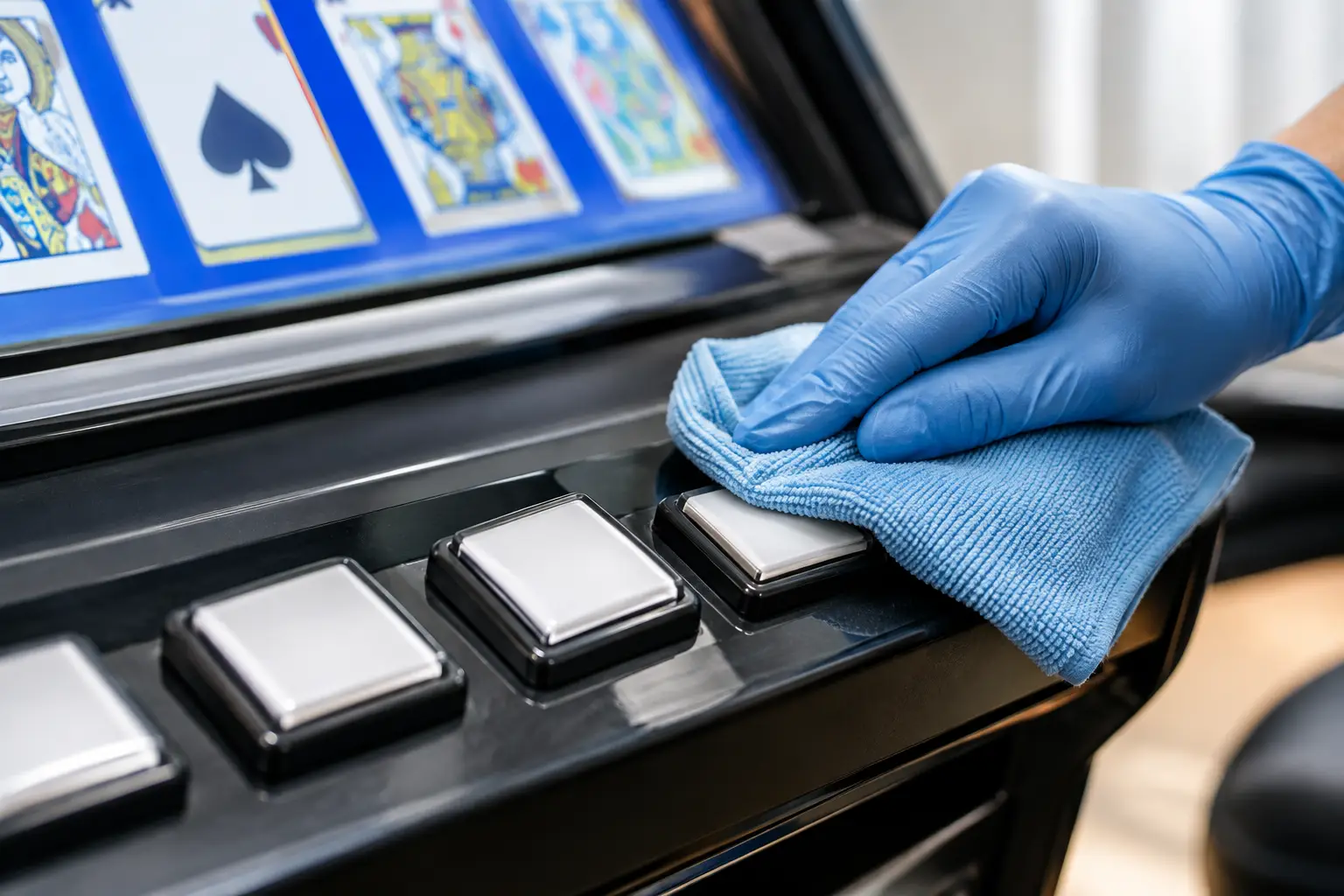
A video poker machine can look showroom-ready until the buttons start showing fingerprints, snack residue, dust, or that faint tacky feeling that makes every deal feel a little less fun. Knowing how to clean video poker buttons the right way protects more than the appearance of your machine. It helps preserve the button legends, plastic finish, surrounding artwork, and the dependable feel you expect when you sit down to play.
The good news is that routine cleaning is simple. The key is using very little moisture, choosing gentle products, and keeping liquid away from the gaps around each button. These machines were built for casino floors, but your home machine still deserves careful treatment.
What You Need Before Cleaning
For most home video poker machines, you only need a clean microfiber cloth, a second dry microfiber cloth, cotton swabs, and a small amount of mild cleaner. A 70% isopropyl alcohol solution is usually a practical choice for removing body oils and everyday grime from nonporous button surfaces. It evaporates quickly when used sparingly.
If the buttons only have dust on them, start dry. A soft microfiber cloth or a soft detailing brush can remove loose debris without introducing any moisture at all. This is the safest first move, especially on an older machine with worn button labels or a control panel that has seen plenty of years in service.
Avoid paper towels, abrasive scrub pads, powdered cleaners, glass cleaner, bleach, and strong degreasers. They can dull clear plastic, fade printed graphics, leave streaks, or work their way into the button assembly. Also skip aerosol sprays. Even a product that is safe for plastic can become a problem when sprayed directly into a control panel.
How to Clean Video Poker Buttons Step by Step
Start by turning the machine off. If you are doing anything beyond a quick dry dusting, unplug it from the wall as well. You are not trying to soak the panel, but powering down removes unnecessary risk and gives you a chance to inspect the button area without rushing back to the game.
Use a dry microfiber cloth first, wiping gently across the button faces and the spaces between them. Do not press hard. On many video poker machines, the buttons have translucent caps, printed inserts, or a clear protective surface that can scratch if grit gets dragged across it.
Next, put a small amount of 70% isopropyl alcohol on a microfiber cloth. The cloth should feel barely damp, not wet. You should never see liquid dripping from it or pooling on a button face. Wipe one small section at a time, using light pressure and moving around the perimeter of each button.
For grime caught near the edge of a button, dampen a cotton swab instead of applying more cleaner to the cloth. Carefully trace the seam around the button. Keep the swab controlled and do not push moisture down into the gap. Follow immediately with a dry swab or dry corner of a microfiber cloth.
Finish by buffing the panel gently with a clean, dry microfiber cloth. Let everything air-dry for a few minutes before powering the machine back on. If any button feels sticky, slow to return, loose, or different from the others after cleaning, stop there. The issue may be inside the switch assembly rather than on the surface.
Treat Sticky Buttons as a Service Issue
A sticky button is not always caused by something spilled on top of it. Dust, old residue, worn plastic components, a tired microswitch, or a past spill that reached the inside of the panel can all affect how a button responds.
It can be tempting to spray cleaner around the button or force it up and down repeatedly. That usually makes matters worse. Liquid can migrate onto electrical contacts, while repeated hard pressing can damage a switch that was already starting to fail.
If a button sticks after a careful exterior cleaning, the right next step depends on the machine and button style. Some panels allow a trained technician to remove and clean or replace individual button assemblies. Others require access from inside the cabinet, with attention to wiring, lamps, switch mounts, and panel hardware. For most home owners, this is a repair job, not a cleaning job.
That distinction matters. A machine that looks clean but occasionally misses a Deal, Bet One, Hold, or Draw command is not delivering the casino-style experience you brought home. At St. Louis Slots, we put real love into the restoration process because the feel of every button matters just as much as the cabinet shine.
Clean the Surrounding Control Panel, Too
Buttons are usually the first place hands touch, but they are not the only place that collects grime. The bezel around the screen, the bill acceptor area, player tracking openings if present, the coin tray, and the edge of the control panel all deserve a gentle wipe.
Use the same rule: cleaner goes on the cloth, never directly onto the machine. Keep moisture away from vents, seams, ticket printers, coin mechanisms, slots, and openings in the cabinet. For tight corners, a dry soft brush followed by a lightly dampened cotton swab is usually enough.
If your machine has chrome trim, painted metal, laminate, or acrylic artwork near the buttons, test any cleaner on an inconspicuous spot first. Materials vary from machine to machine, particularly on older casino equipment. A method that works beautifully on one control panel may leave haze on another.
How Often Should You Clean Video Poker Buttons?
For a machine in a busy game room, a quick dry wipe once a week and a light deeper clean once a month is a sensible routine. If the machine is used only on weekends or sits in a lower-traffic space, clean it whenever you notice fingerprints, dust, or buildup.
After a party is another good time to give the buttons attention. Guests may have snacks, drinks, lotion, sunscreen, or barbecue sauce on their hands, and those residues can linger longer than expected. A two-minute wipe-down after the fun is over can prevent a bigger cleanup later.
There is one exception: do not overclean with alcohol. Used occasionally and sparingly, it is helpful. Used heavily or every day, it may eventually dry or dull certain older plastics and printed surfaces. For routine touch-ups, a dry microfiber cloth is often all you need.
Protect Your Machine Between Cleanings
The easiest cleaning job is the one that never becomes a sticky mess. Encourage players to keep drinks on a nearby table rather than on the machine itself, especially if your cabinet has a narrow ledge around the control panel. Keep greasy snacks away from the game when possible, and ask guests to use clean hands before settling in for a long session.
A breathable dust cover can help when the machine is not in use, provided it does not trap moisture. Avoid plastic sheeting or anything that can hold humidity against the cabinet. In a basement, garage, or finished shed, stable temperature and humidity are just as valuable as regular dusting. Excess moisture can affect far more than the buttons.
Never use furniture polish, tire shine, or vinyl dressing on the control panel to make it look glossy. Those products can leave a slippery film that attracts dust and makes the buttons unpleasant to use. A clean, natural finish is better than an artificial shine.
When Cleaning Is Not Enough
Call for service if a button fails to register, registers twice, stays depressed, feels unusually loose, flashes inconsistently, or works only when pressed in a certain spot. Those are signs that cleaning the exterior will not solve the underlying problem.
A well-refurbished home machine should be fun, dependable, and easy to live with. Gentle cleaning keeps the player interface looking great, but good ownership also means knowing when to let a technician handle the inside. Treat those buttons with a little care, and every hand of video poker will feel that much closer to the real casino floor.
 | Check out our
Comments are closed